ゲーム紹介
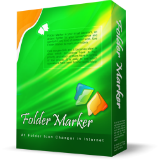
In the ordinary world, we’re using markers, highlighting important documents, or laying them out in folders of different colors. This allows us to be organized and quickly find the information we need. Why don’t we bring the same approach to our computer files world? This is exactly what today’s deal software is doing. This folder colorizer tool lets you add colors and/or images to Windows' folder icons. Seems trivial, right? Yet once you start using it, you'll wonder why Microsoft never bothered to incorporate such capabilities into Windows. It’s awesome. Once you have installed Folder Marker, right-click the folder you want to customize. Go to “Mark Folder” item there, and click the icon you like. That is it! Key features: * Can change a folder's color. For this purpose, you have 36 icons of normal, dark, and light colors. * Has 50 image-coded icons build-in to indicate priority, degree of work complete, work status, and the type of information contained in a folder. * Allows to sort & filter folders in Windows Explorer by assigned color- or image label. * You can customize the 'Mark Folder' menu for your needs. * Contains a User Icons tab where you can add an unlimited quantity of icons, downloaded from the Internet. * Can make customized folders distributable (portable). P.S. Please note that this is NOT the latest version of the software. Free updates are not included in the giveaway license, so please ignore the request for an update. P.P.S. For those, who used…ストアで原文を見る ↗
過去のイベント履歴
- — 無料 プロモーション開始
よくある質問
このゲームはどうやって入手しますか?
上部の「ストアで無料入手」ボタンを押すと、配布ページ の公式ページが新しいタブで開きます。ストアアカウントでログインし、入手またはライブラリ追加ボタンを押してください。支払い情報の入力は不要で、一度受け取ればアカウントのライブラリに保存されます。
Folder Marker Home 4.8 はどんなゲームですか?
Folder Marker Home 4.8 は Giveaway of the Day で提供されている作品です。現在は無料で提供されています。 詳しい紹介とストア原文の説明は、下の「ゲーム紹介」項目でご確認いただけます。
いつまで無料で入手できますか?
この配布はストアから明確な終了時刻が告知されていません。FreeTick は確認できない時刻を独自に推測することはしません。正確な状態と終了時刻は、リンクからストアページでご確認いただけます。
関連の無料ゲーム




もっと無料ゲームを発見
毎日更新される無料ゲームのキュレーションを見逃さないで。
データの出典と透明性
出典: Giveaway of the Day (RSS)
最終確認: 2026-07-08 04:33 KST
FreeTick キュレーション原則を見る →